

Almost every small business that goes looking for inventory software is really looking for one thing: a number they can say out loud to a customer without walking to the rack to check it. The software category is enormous and the marketing is loud, but the job is narrow. This is what inventory management software actually does, what it costs at small-business scale, and the four questions that tell you whether you need a platform or something much smaller.
What inventory management software actually does
If you are still on a spreadsheet, our three-sheet inventory template is the shape to start from. If you are wondering whether that spreadsheet already counts as inventory software, how far Excel goes as inventory software has a specific answer. Strip away the feature lists and there are four jobs. Everything else a vendor sells sits on top of these.
1. It holds one count that everyone reads
One number, one place, visible to whoever is answering the phone and whoever is picking the order. The value is not the number itself. It is that nobody keeps a private version in a workbook or a notebook.
2. It records movement, not just totals
Received, issued, adjusted, returned. A total tells you what you have; a movement history tells you why it changed and who changed it. Without that second thing, a wrong count is unfixable, because there is nothing to trace back.
3. It separates on-hand from available
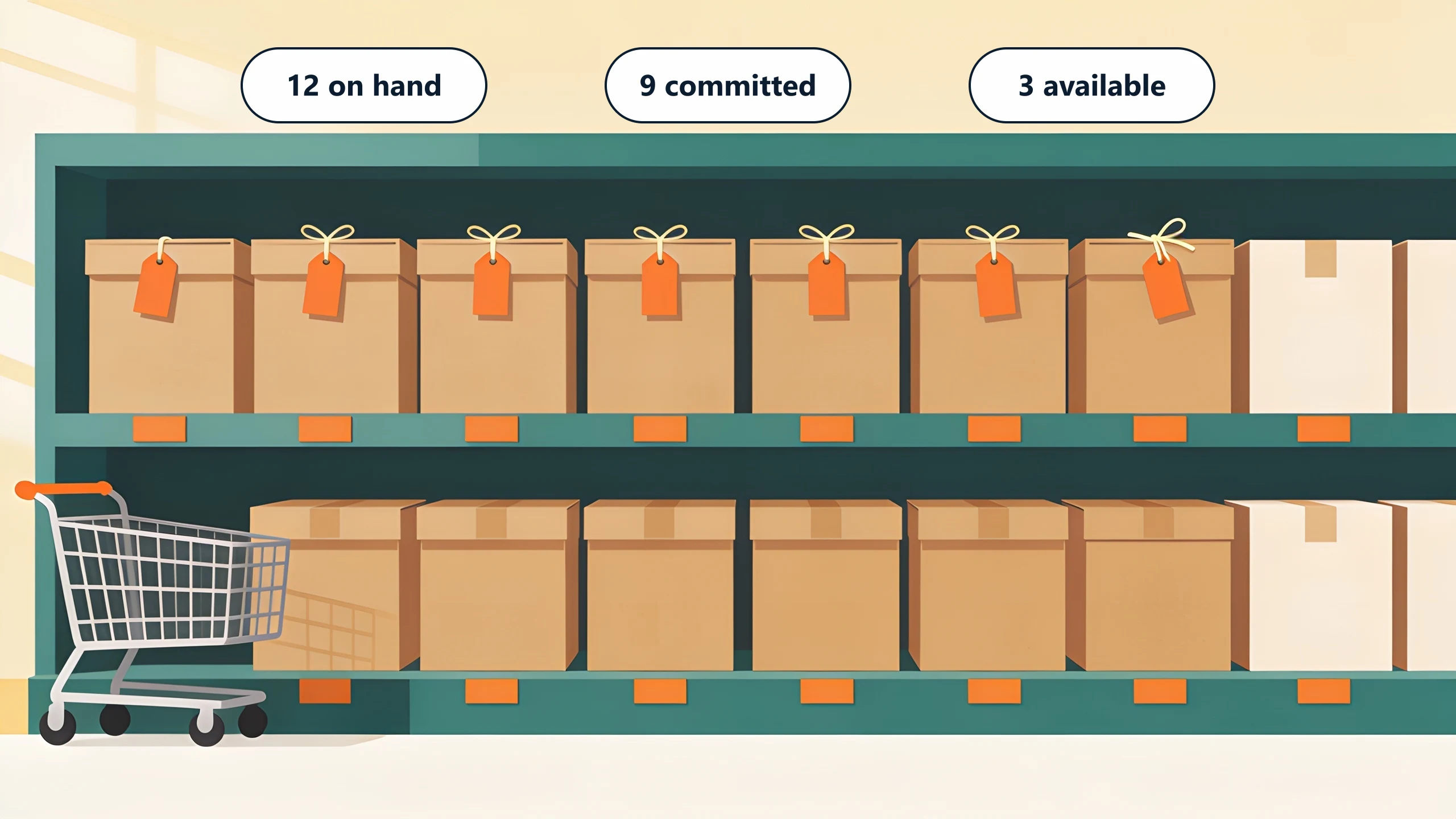
This is the job most spreadsheets fail. Twelve on the shelf with nine already promised to open orders means three are available. Software that cannot reserve committed stock will let you sell the same nine twice, and you find out at picking.
4. It sends cost somewhere useful
Parts leave the shelf and become a cost against a job, an order, or a period. If that only happens at month end when someone reconciles distributor invoices by hand, your margin numbers describe a month you can no longer influence.
How does inventory management software work?
Underneath the four jobs there is one loop, and every product on your shortlist runs it. Stock arrives and someone records the receipt, so the count goes up. An order comes in and the system commits units to it: they still sit on the shelf, but nobody else can promise them. A picker takes them and records the issue. The count goes down, and the value moves out of stock and into cost of goods sold.
Everything a vendor demonstrates is a variation on that loop. A barcode scanner is a faster way to record the movement. A reorder point is a rule watching the count that raises a purchase order on your behalf. A cycle count is that loop being audited against the shelf. Multi-location is the same loop kept separately per building.
Which is why a product tour is a poor way to choose. Every item on your shortlist runs the loop. What separates them is whether their way of recording a movement matches the one your team already performs, at the moment they actually perform it.
One of the distributors we build for kept a single quantity column in their sheet, so a receipt, a pick, a return and a correction all landed in the same cell. The count was right on Friday and wrong by Monday, and none of it could be traced back. That is the loop breaking at the first step, and no amount of shopping fixes it until those four movements are recorded as four different things.
Where the money actually goes
Pricing is per user, per location, or per order volume, and the sticker rarely survives contact with a real quote. Published 2026 rates from five vendors, and the seat and module fees underneath them, are broken down in what inventory management software actually costs.
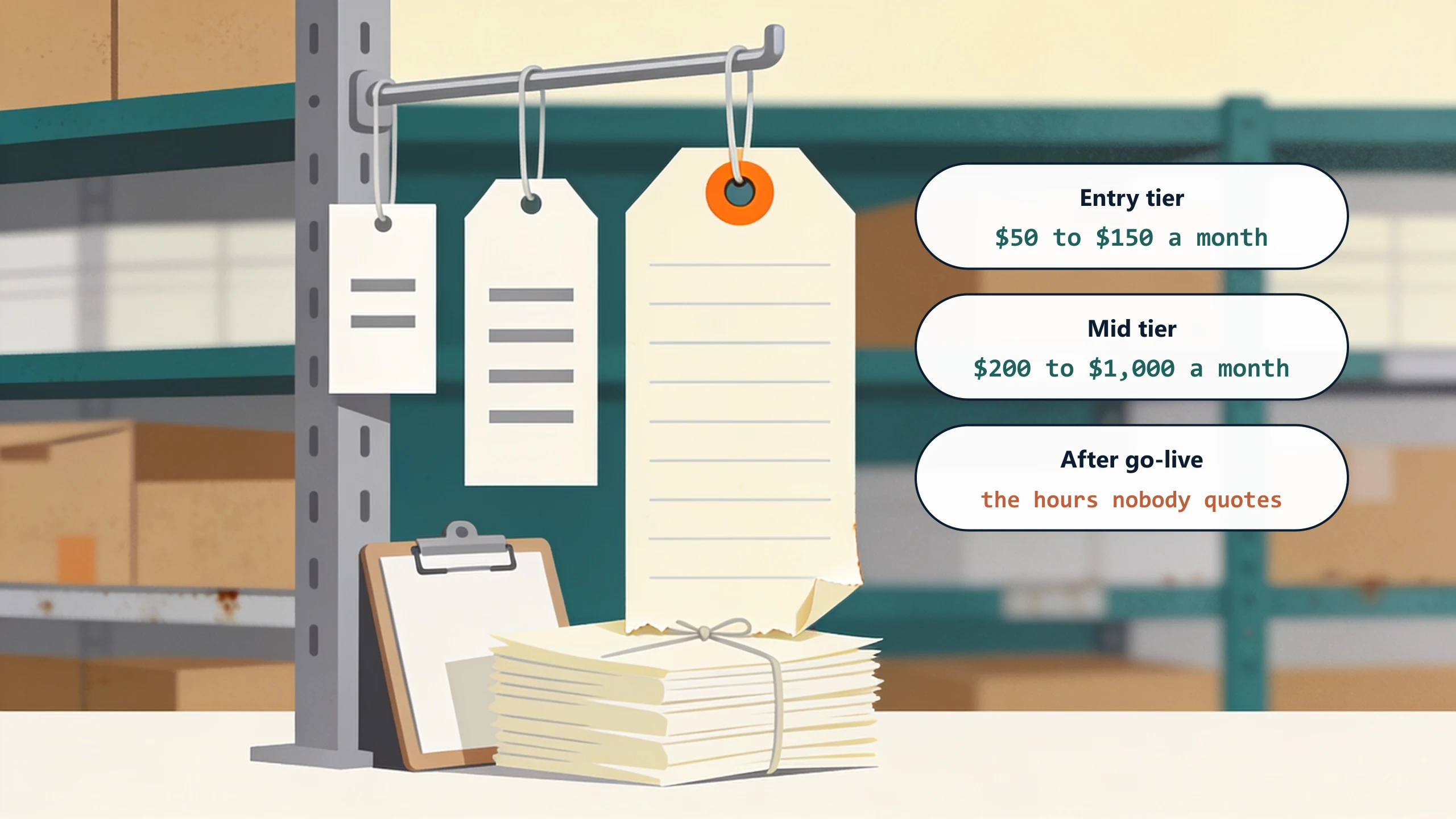
- The entry tier. Single location, whole units, basic counts. Genuinely fine if that describes you.
- The mid tier. Multiple locations, purchase orders, kits and assemblies, accounting integration. This is where most small manufacturers and distributors land.
- Add-ons that are not optional in practice. Barcode and scanner modules, extra users beyond a low included count, an implementation fee, and a data-migration fee. Ask for these as line items before comparing anything.
- The cost nobody quotes. The hours your team spends keeping the count true after go-live. If the software does not fit how you actually count, that number does not go down, and it is usually larger than the subscription.
The comparison is not one subscription against another. It is the total of the subscription plus the human hours still spent reconciling, measured against what the same money buys built around your own counting.
Four questions before you shortlist anything
Each one narrows the shortlist, and answering them takes a walk around the stockroom rather than a demo.
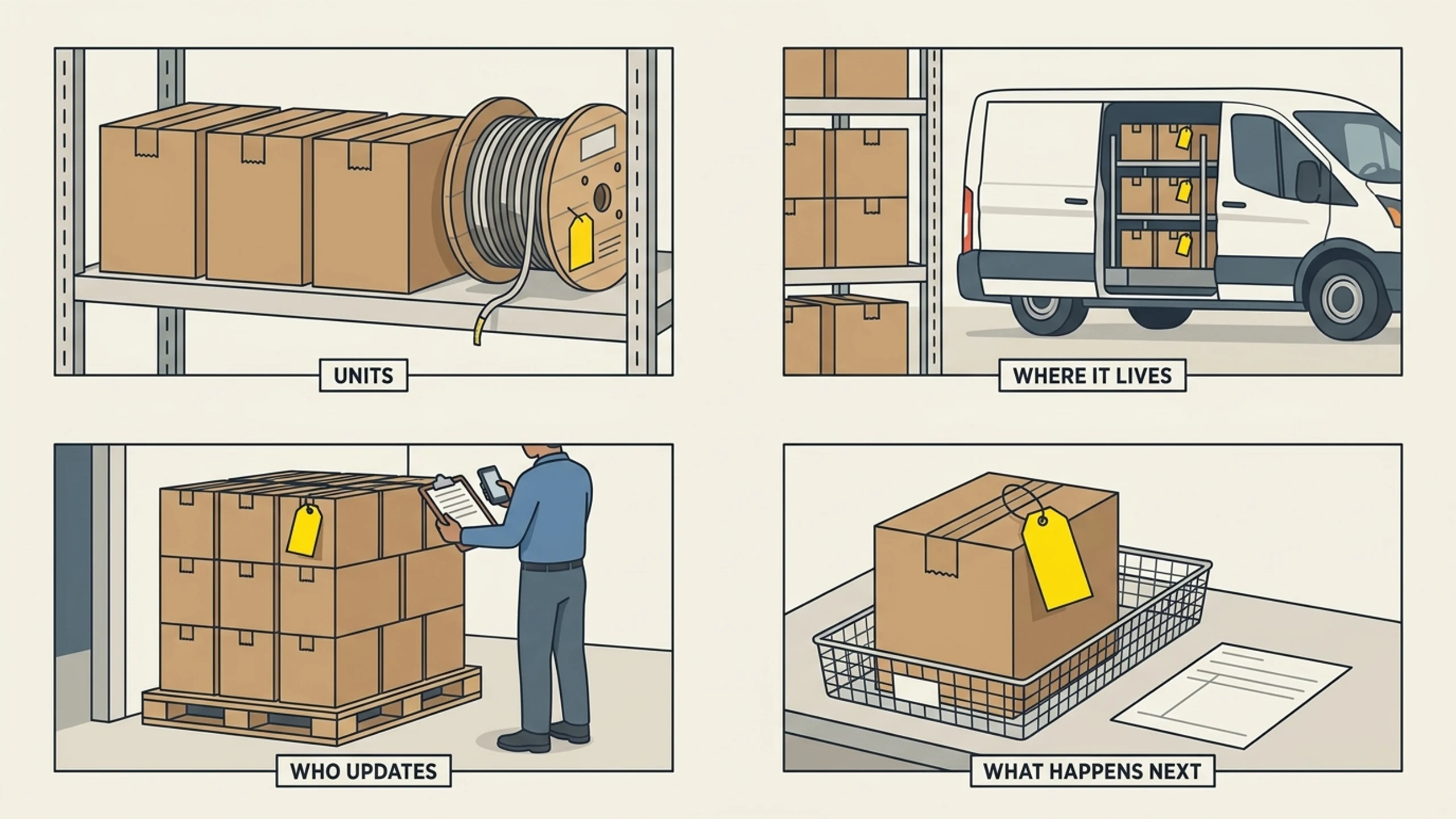
Do you sell whole units, or something messier?
Whole units of finished goods are the shape every platform models well. Partial units, lot or batch splits, kits assembled at pick time, and material measured by length or weight are where off-the-shelf configuration starts to strain.
Where does your stock physically live?
A shelf in one building is easy. Stock on service trucks, staged at a jobsite, or sitting on consignment at a customer is still yours and still on your books, and no shelf count will ever find it. Ask any vendor directly how they model stock that is not in a warehouse.
Who updates the count, and when?
If receiving happens at the dock on paper and gets entered days later, no software fixes that by itself. The tool has to meet the work where it happens, on a phone at the dock, or the delay simply moves.
What has to happen the moment the count changes?
Usually two things: reserve it against the order it is promised to, and post its cost against the right job. Those two handoffs are where most of the value is, and they are also the two most likely to need something specific to your business.
When to buy, and when the fit is the problem
Buy off-the-shelf when your counting is standard and you need breadth soon. Fishbowl, Katana, Cin7, inFlow, and Zoho Inventory are strong products with real depth, and if you sell finished goods from one location with simple allocation, one of them will serve you better and cheaper than anything built.
The fit becomes the problem when the shortlist keeps failing on the same question. You will notice it as a specific sentence in every demo: "we would handle that with a workaround." One workaround is fine. Three is a signal that the way you count is not the way the product counts, and the gap will be paid for in human hours every week after go-live.
That is the point at which building around your own counting starts to compete on price, not just on fit. A custom inventory system keeps your order and accounting systems exactly where they are and closes the specific handoff that is costing you, rather than asking the business to adopt a whole platform to reach it.
What to do this week
Do a spot count on ten fast-moving items and compare it to what the system says. Write down each gap and, more importantly, where the gap came from: received late, issued without a record, committed but not reserved, returned and never adjusted. That page tells you which of the four jobs above your current setup is failing, and it turns a vague shopping exercise into a specific requirement.
If you want a second opinion on it, book a free 30-minute discovery call. We will tell you whether a platform covers you or whether the gap is specific enough to be worth building.
No pitch, no pressure. We diagnose, you decide.
Have a question? We reply by email, no call needed.