

If your project managers text change orders to the office and the office types them into a spreadsheet, your change orders are costing you more than the rework. A construction change order that sits in an inbox for a week is a week of cash flow you have already spent but have not billed. For a small commercial contractor, that gap is the difference between a healthy month and a tight one.
Why change orders pile up
On most small commercial jobs, the change-order process was never designed. It grew. A superintendent notices a conflict in the field, texts the project manager, who emails the owner, who replies a few days later, after which someone remembers to update billing. Every handoff is a place the change order can stall, and every stall is unbilled work the company has already paid its crew to do.
The numbers add up faster than owners expect. On a job with thirty change orders, even a one-week average delay from field to billing means weeks of revenue floating in inboxes at any given time. Multiply that across active jobs and the change-order backlog becomes one of the largest uncollected balances in the business.

A construction change order template you can copy
A change order is a short contract amendment. The template has one job: capture the change, its price, and its approval so clearly that nobody relitigates it at closeout. Nine fields do that:
- Project name and number, matching the contract documents.
- Change order number, sequential per project: CO-001, CO-002.
- Date submitted.
- Description of the change, specific enough that a stranger could find the work in the field.
- Reason and origin: owner request, field condition, design gap, or code requirement, and who initiated it.
- Cost breakdown: labor hours and rate, materials, equipment, subcontractor amounts, and markup, each on its own line.
- Schedule impact in calendar days, even when it is zero. An unstated schedule impact reads as a waived one.
- Revised contract sum: original contract, previously approved change orders, this order, new total.
- Signatures and dates for both parties, with printed names and titles.
The same structure works as a change order template in Word or Excel. Word prints and signs more cleanly, so the order itself usually lives there. Excel earns its keep one level up, in the log.
A filled example
Here is how the template reads on a real-shaped change. A commercial electrical sub is running a $148,000 scope on a tenant build-out, and the GC relocates a panel after a duct clash. CO-003 reads: relocate Panel LP-2 per revised drawing E-402. Labor, 28 hours at $95, $2,660. Materials, $2,850. Equipment, $180. Subtotal $5,690, 10 percent markup $569, total $6,259. Schedule impact: 4 calendar days. Revised contract sum: $148,000 original, plus $9,340 in prior approved orders, plus $6,259 this order, $163,599 new total. Signed by the sub's project manager and the GC's superintendent, dated the day the price was agreed.
The habit worth copying is the dates. When the signatures are dated before the work, the document is a change order. When they are dated after, it is the opening exhibit of a payment dispute.
Keep a change order log per project
The individual order protects the price. The log protects the month. One row per change order, opened the day the change is spotted rather than the day it is priced, with columns for the CO number, dates spotted and submitted, a one-line description, the amount, the status, the schedule days, and a running total of approved amounts. Five status words are enough: draft, submitted, approved, rejected, disputed.
This is the piece that belongs in Excel, because the running total is a formula and the month-end question is a filter: everything still sitting in submitted is work performed and not yet billable. The log is also the first thing worth moving into software once volume grows past a spreadsheet. The mobile change-order tool we built for commercial construction is exactly this log plus the form, on the superintendent's phone, with the office seeing every entry the moment it is captured.
Change directive vs change order
A construction change directive is the owner's or GC's instruction to proceed before a price is agreed. It is unilateral, and its job is to keep the crew moving while the pricing catches up. A change order is bilateral: scope, price, and schedule agreed and signed by both parties. On AIA contracts the directive is its own form; on smaller jobs it is often an email that just says proceed. Treat every directive as a change order with a missing price, log it the day it lands, and convert it the moment the numbers are agreed.
Buy a platform, or build a tool that fits
The off-the-shelf answer is a full construction project management platform. For a thirty-person field organization that has decided to standardize everything, that can make sense. For a twelve-person commercial contractor who just needs the change-order step to stop leaking, it is a heavy commitment: a per-seat fee, a multi-month rollout, and a system the field has to be trained on before it earns anything.
The other path is a custom tool built around the way your team already works. The field captures the change in the form they already use, it routes to the office and the owner for sign-off, and it lands in billing without anyone re-typing it. No platform to learn, no per-seat tax, and the tool fits your process instead of asking your process to fit the software.
Every change-order job we take on starts from the same finding: everyone can name the platform they pay for, but no one can name the person who owns the handoff from field to billing. That ownerless gap is where the signed work sits unbilled, and closing it is most of what the tool is for.
What a change-order tool actually does
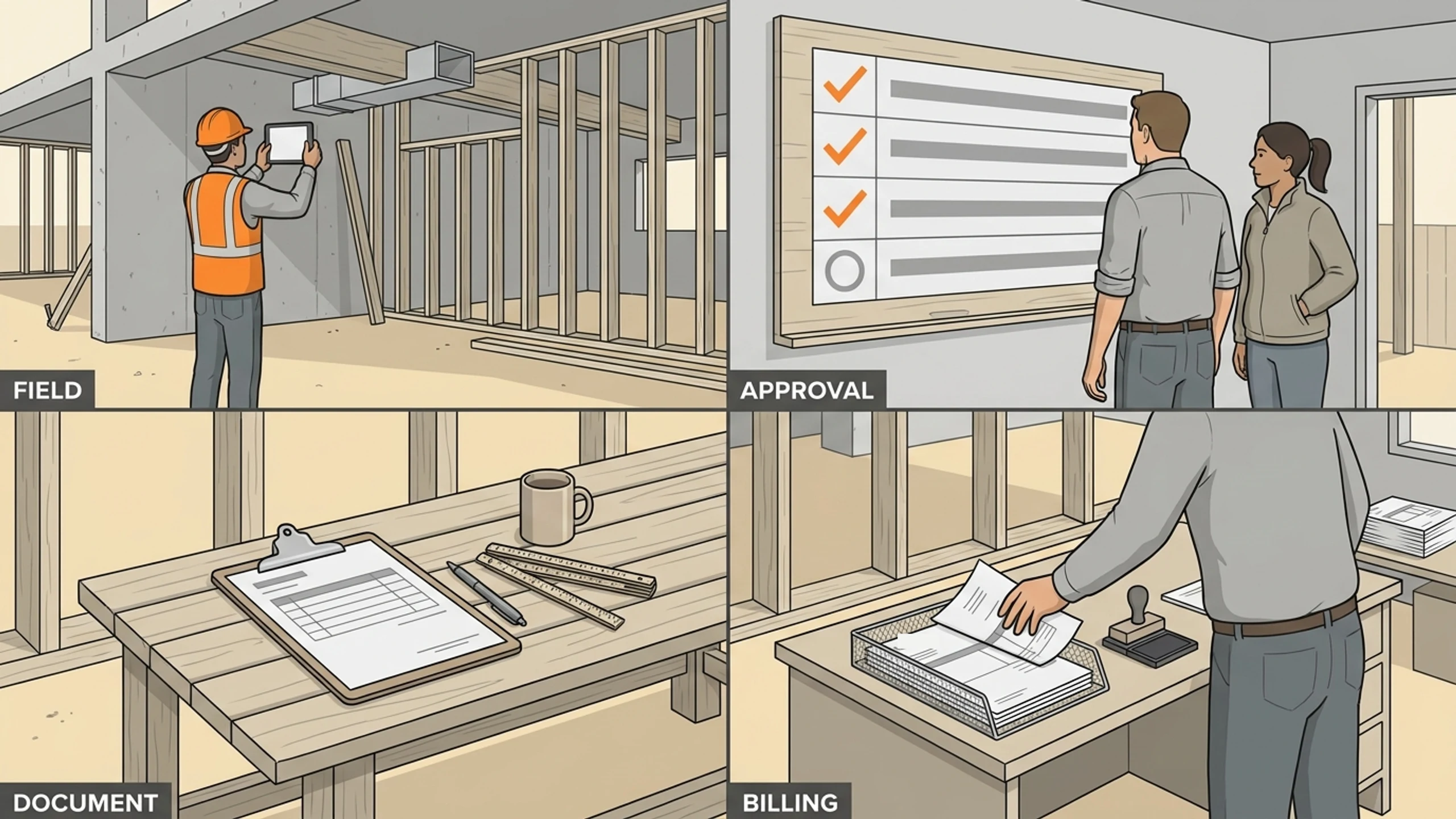
A focused change-order tool for a small contractor does four things well: it captures the change in the field with photos and a description, it tracks an approval status everyone can see, it generates an owner-ready change-order document in your format, and it hands the approved amount to billing so it gets invoiced the same week it is signed. That is the whole loop, and closing it is usually worth far more than the cost of building the tool.
Where to start
You do not need to replace how your projects run to fix this. The ByteQuix pilot (one to three weeks to build, 30 days live) takes your single most painful change-order step and builds a tool for it, run against an outcome you set first, like the average days from field capture to billing. The pilot delivers tangible value tied to that metric. After 30 days live, the engagement graduates onto the Starter tier to keep the tool running and maintained.
If your change orders are sitting in inboxes instead of invoices, book a free 30-minute discovery call and walk us through how a change order moves through your shop today. We will tell you whether it is a fit for a 30-day pilot before you commit to anything.
No pitch, no pressure. We diagnose, you decide.
Have a question? We reply by email, no call needed.