

QuickBooks integration is software that moves data between QuickBooks and another system without a person in the middle. That is the entire definition. The reason it gets complicated is that QuickBooks is not one product (Online, Desktop, Enterprise, each with their own API and constraints) and "another system" is rarely a clean fit (CRMs, field-service tools, e-commerce platforms, and EDI providers all want different data structures). Most small businesses end up with a half-working integration and a person in the middle anyway. Here is how to pick the right kind.
The three types of QuickBooks integrations
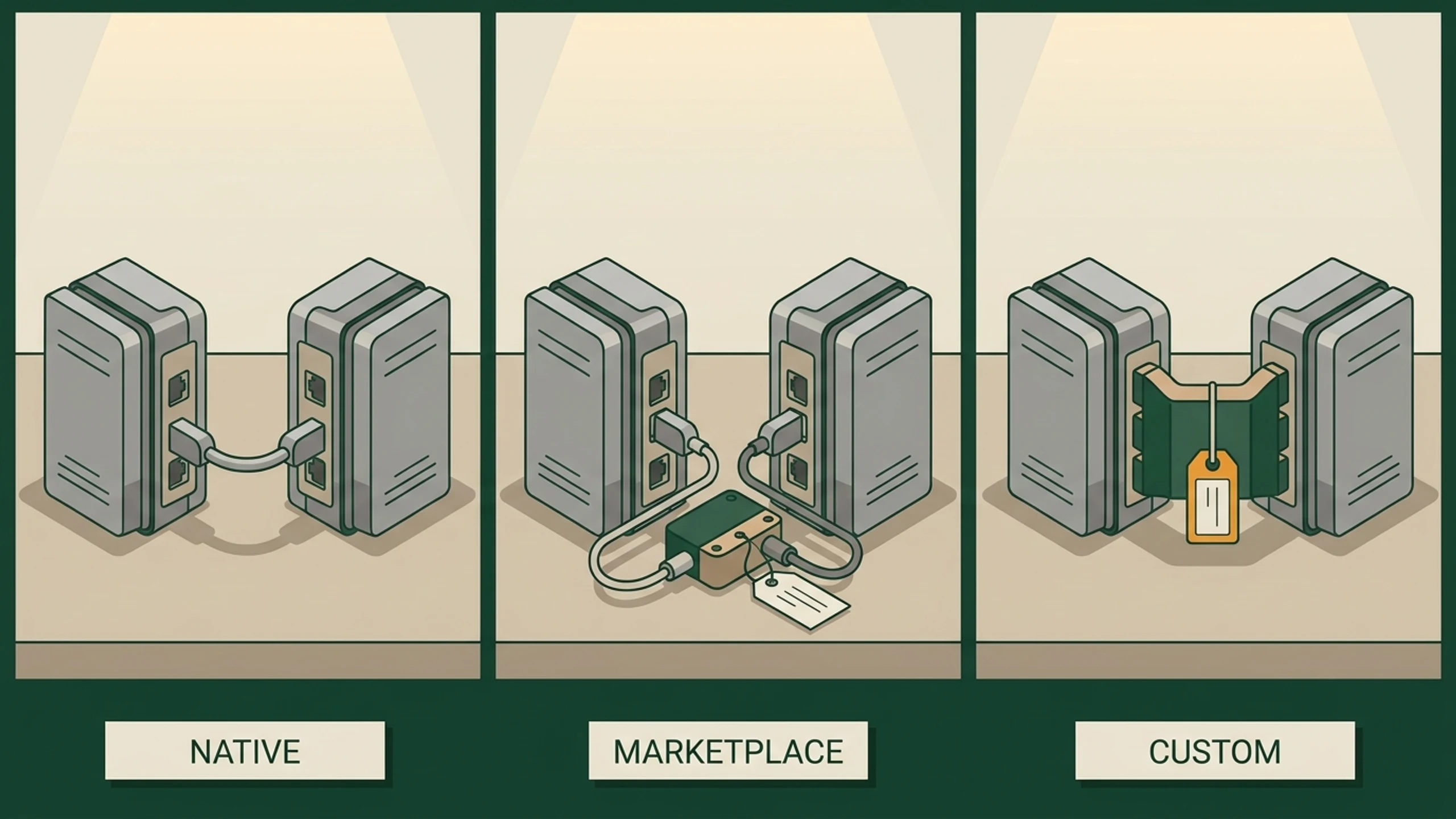
For a small business looking at QuickBooks integration, the choices break down by who built it and how flexible it is.
Native vendor integration
The other system (your CRM, your field-service app) ships with QuickBooks integration as a built-in feature. Examples: ServiceTitan to QuickBooks, HubSpot to QuickBooks (via their connector), Shopify to QuickBooks Online. The integration covers the vendor's standard use case. If your shop fits the standard case, this works well.
App-store / marketplace integration
A third-party connector built by a different company (Zapier, Webgility, OneSaas, MyWorks) that bridges two systems neither company natively supports. Cost: $30 to $300 per month per connection. Strong for common pairs. Weak when your data structure is non-standard.
Custom integration
Software written specifically for your shop's QuickBooks edition, your specific other system, and your specific data rules. Built once, runs reliably, no marketplace dependency. Cost: a flat monthly fee as part of a custom-plus-managed contract, or $5,000 to $20,000 as a one-off project.
What gets integrated
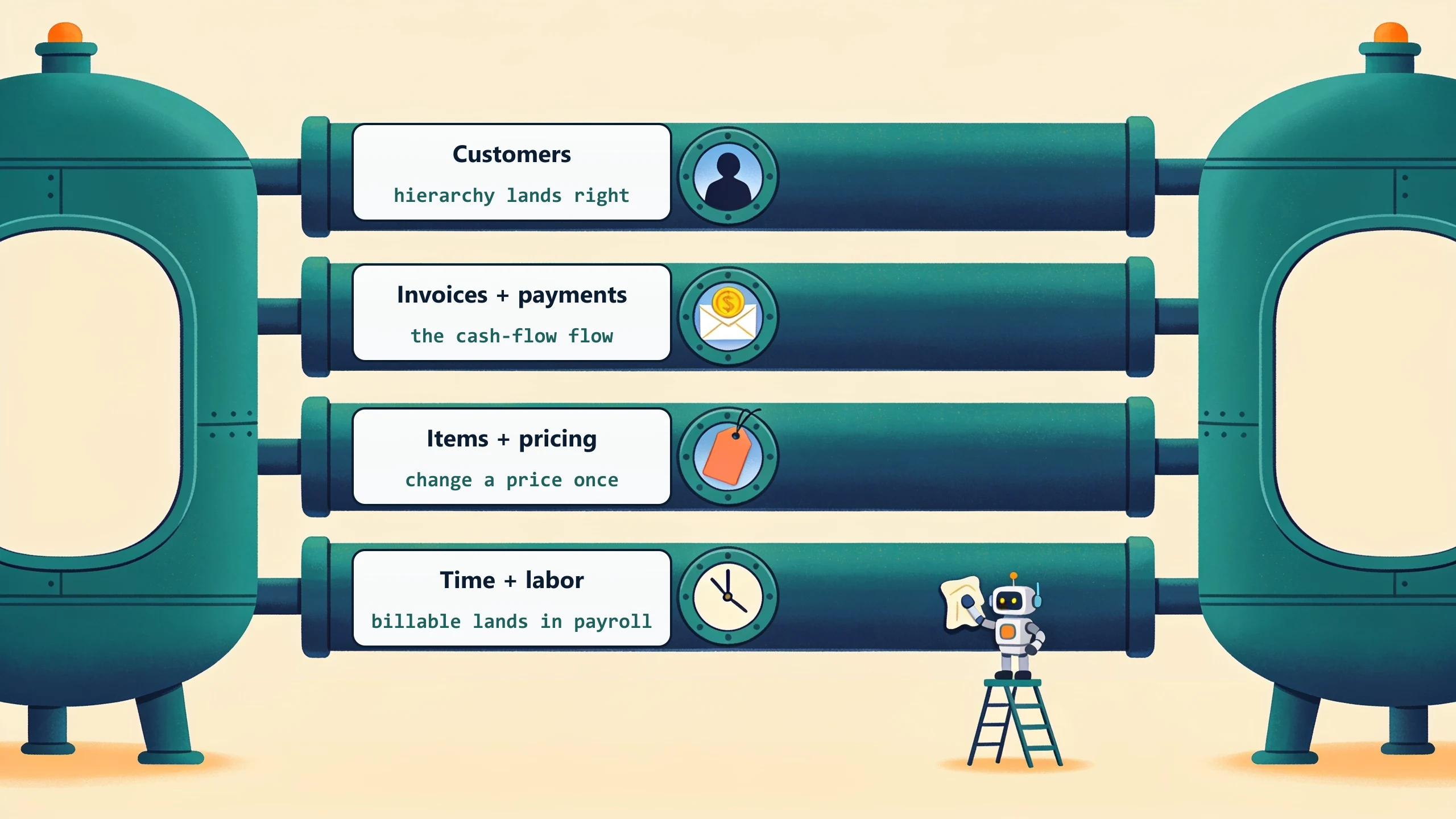
For most small businesses, four data flows account for 90 percent of the integration value.
Customers and contacts
New customer in your CRM auto-creates a customer in QuickBooks with the right billing address, payment terms, and parent-account hierarchy. Contact updates flow both ways. Sounds simple. The trap: most CRMs use one field for "company" while QuickBooks splits parent and sub-customer. Native integrations often get this wrong. For most owners the real shape of the job lands late: integration is not a switch you flip but a slow set of decisions about which system owns each record. We open every integration build the same way, mapping fields one by one and deciding, per record, whether the CRM or QuickBooks is the source of truth, because that one call is what keeps the two from overwriting each other later.

Invoices and payments
Invoice generated in another system (CRM, field-service app, e-commerce) lands in QuickBooks with the right line items, sales tax, and customer reference. Payment received in QuickBooks (via Stripe, Square, ACH) marks the source-system invoice as paid. The one that moves cash fastest.
Items and pricing
Your part library or SKU list stays in sync with QuickBooks items. Change a price once and it updates everywhere. The trap: customer-specific pricing rarely flows cleanly, because QuickBooks Online has weak price-list support.
Time and labor
Time entries from a field-service app or a project tool flow into QuickBooks for payroll and customer billing. The integration has to handle billable vs non-billable, customer/job allocation, and rate cards.
When custom is the right answer
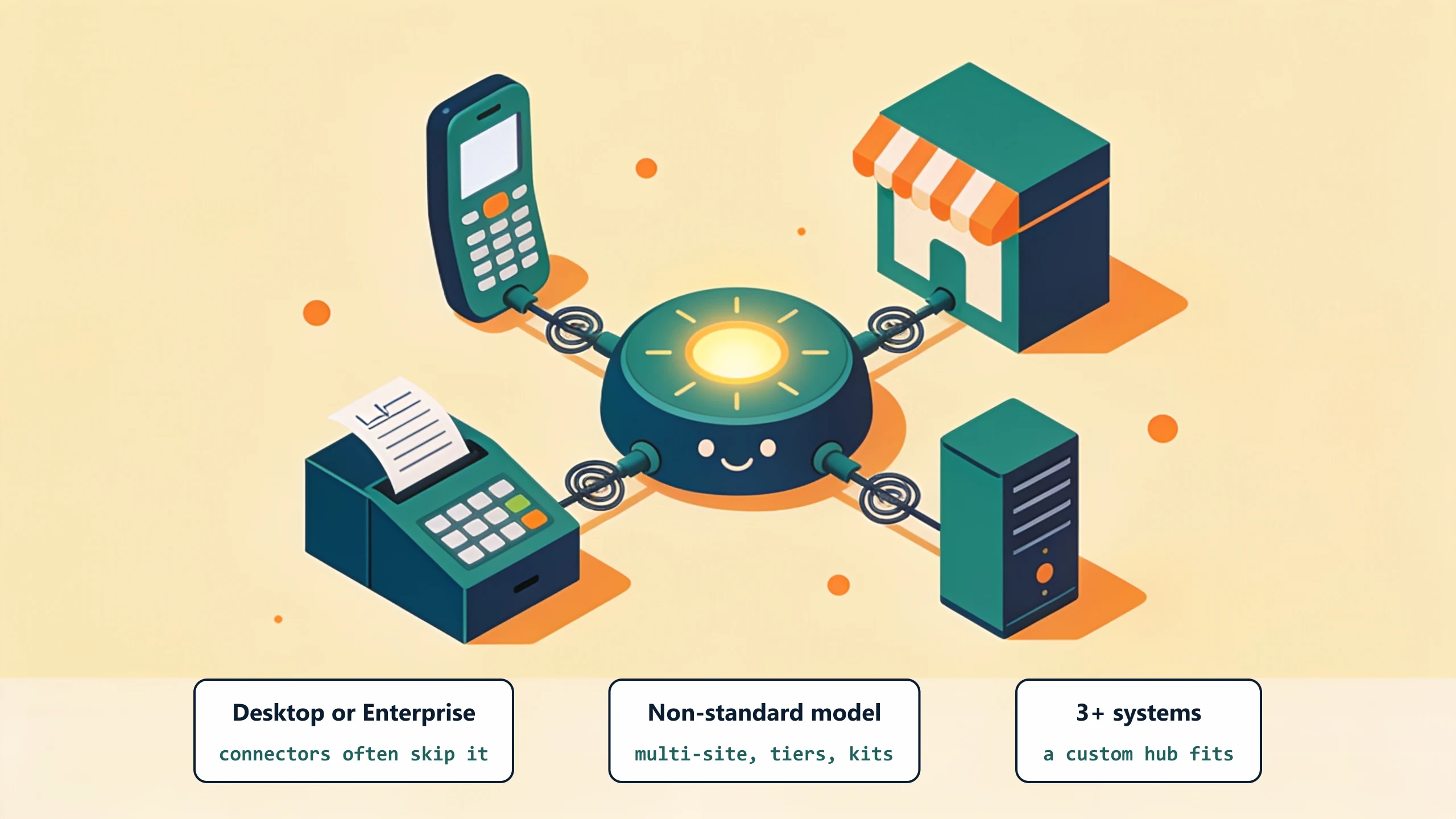
Custom integration earns its cost in three situations.
Your QuickBooks edition is Desktop or Enterprise
QuickBooks Desktop and Enterprise have different APIs (the SDK and the Web Connector) than QuickBooks Online. Many off-the-shelf connectors only support Online. If your shop runs Desktop or Enterprise and the connector you want skips it, custom is often the only option.
Your data model does not fit the standard
Multi-site customers, per-customer pricing tiers, kit pricing, contract billing, AIA progress billing: everyday SMB setups, and off-the-shelf connectors handle them badly. A custom build models your structure, not the vendor's. When the mismatch runs all the way into the pipeline itself, that is custom CRM system territory.
You have three or more systems to integrate
Three-way and four-way links (CRM plus field-service plus QuickBooks, say) are usually beyond what marketplace connectors do well. At that point a custom hub is the right shape.
What to do this week
List the systems that touch QuickBooks (or should). For each, mark whether the integration is native, marketplace-based, or "Susan retypes it on Wednesdays." The retyping ones are your custom-integration candidates. Book a 30-minute discovery call and we will scope what a single custom integration layer would cover.
No pitch, no pressure. We diagnose, you decide.
Have a question? We reply by email, no call needed.